prtr go
Send the first request fast.
Turn raw intent into a ready prompt, launch the destination app, and keep the run in local history so the next step costs less.
The command layer for AI work.
prtr turns logs, diffs, and intent into the next AI action across Claude, Codex, and Gemini. The first prompt matters, but the real product is the loop after it: go, swap, take, learn, and inspect.
One loop. One command layer. One next action.
npm test 2>&1 | prtr go fix "왜 깨지는지 정확한 원인만 찾아줘"
prtr swap gemini
prtr take patch --deep --llm=claude
prtr learnCore loop
The first request matters, but the second and third steps are where the real cost usually appears. prtr keeps intent, context, and vocabulary moving forward without sending you back to prompt glue.
prtr go
Turn raw intent into a ready prompt, launch the destination app, and keep the run in local history so the next step costs less.
prtr swap
Keep the workflow moving while comparing Claude, Codex, or Gemini without rebuilding the same context by hand.
prtr take
Use copied model output as the seed for a patch, test, summary, issue, or plan prompt instead of rewriting it from scratch.
prtr take --deep
Planner, patcher, critic, tester, and reconciler process the clipboard answer as structured evidence. Add --llm=claude|gemini|codex to optimize the delivery prompt for your AI tool.
prtr again
Bring the last run back with the same app and mode, then optionally edit before delivery when you want a controlled repeat loop.
prtr learn
Build a repo-local memory so names, flags, and domain language stay stable across multilingual prompt generation.
prtr inspect
Open the raw composition layer when you want to see how translation, template shaping, and delivery decisions were made.
See it work
prtr does not need three unrelated demos on the first screen. The clearest story is one workflow: logs into go, app comparison through swap, and the next action through take.
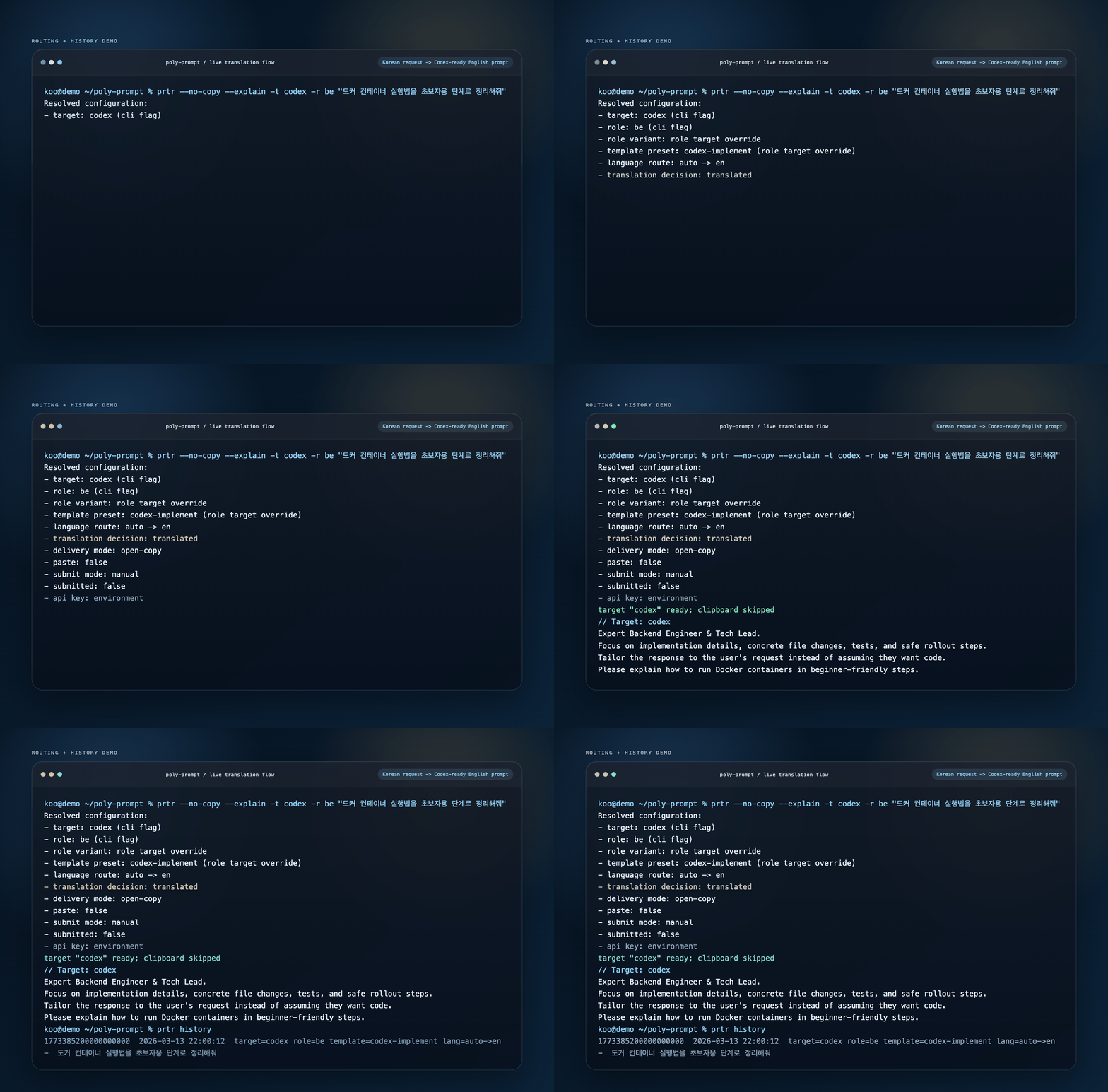
One proof loop
This is the one scene the whole product story should keep repeating across the README, social cards, release posts, and docs.
Routing explainer
The router is there to reduce friction, not to hide decisions. It helps users start fast while leaving enough visibility to trust what changed between raw intent and delivery.
prtr is strongest when the request is paired with logs, stack traces, or repo context so the next AI action starts from concrete proof instead of a blank box.
The prompt is re-shaped for Claude, Codex, or Gemini instead of pretending every app wants the same wrapper.
swap, take, learn, and inspect stay close so the answer becomes the next step instead of another dead-end prompt tab.
take --deep --llm=claude formats the prompt with XML semantic tags. take --deep --llm=gemini uses structured Markdown. take --deep --llm=codex uses numbered instructions with diff code blocks.
Version story
The product did not grow as a bag of unrelated commands. Each release made prtr a little less like a one-off prompt helper and a little more like a workflow layer.
v0.1.x
prtr became the public name and the product got a clearer shape worth building around.
v0.2.x
Interactive editing, prompt-role shaping, and cross-platform delivery support made the tool more practical for real usage.
v0.3.x
Setup, history, take, repo context, and learn moved prtr from one-shot prompting toward a reusable working loop.
v0.4.0
The Cobra-based command surface made the product easier to grow, explain, and maintain as the loop became the real product story.
Docs hub
The project site now separates launch messaging from operator docs. Use the docs hub when you want install steps, command guides, routing notes, or release history without digging through the repo.
Included in /docs
Built as a second page so the homepage stays focused on product proof while the docs page works as the operator-facing entry point.
Start here
Start with the safe preview and the English fast path. Use setup and doctor when you are ready to turn multilingual routing and delivery automation on for daily use.
brew tap helloprtr/homebrew-tap
brew install prtr
prtr demo
prtr go "explain this error" --dry-run
prtr setup
prtr doctor